



Candidate Communication Solution for Employers
Stay Organized. Communicate Faster. Never Miss a Message.
Centralize all your candidate communication—emails, texts, notes, and follow-ups in one clean timeline.
What Is a Candidate Communication Tool?
A Candidate Communication Tool is a centralized system that helps you manage all messages, texts, notes, and follow-ups with job candidates—without losing track of a single conversation.
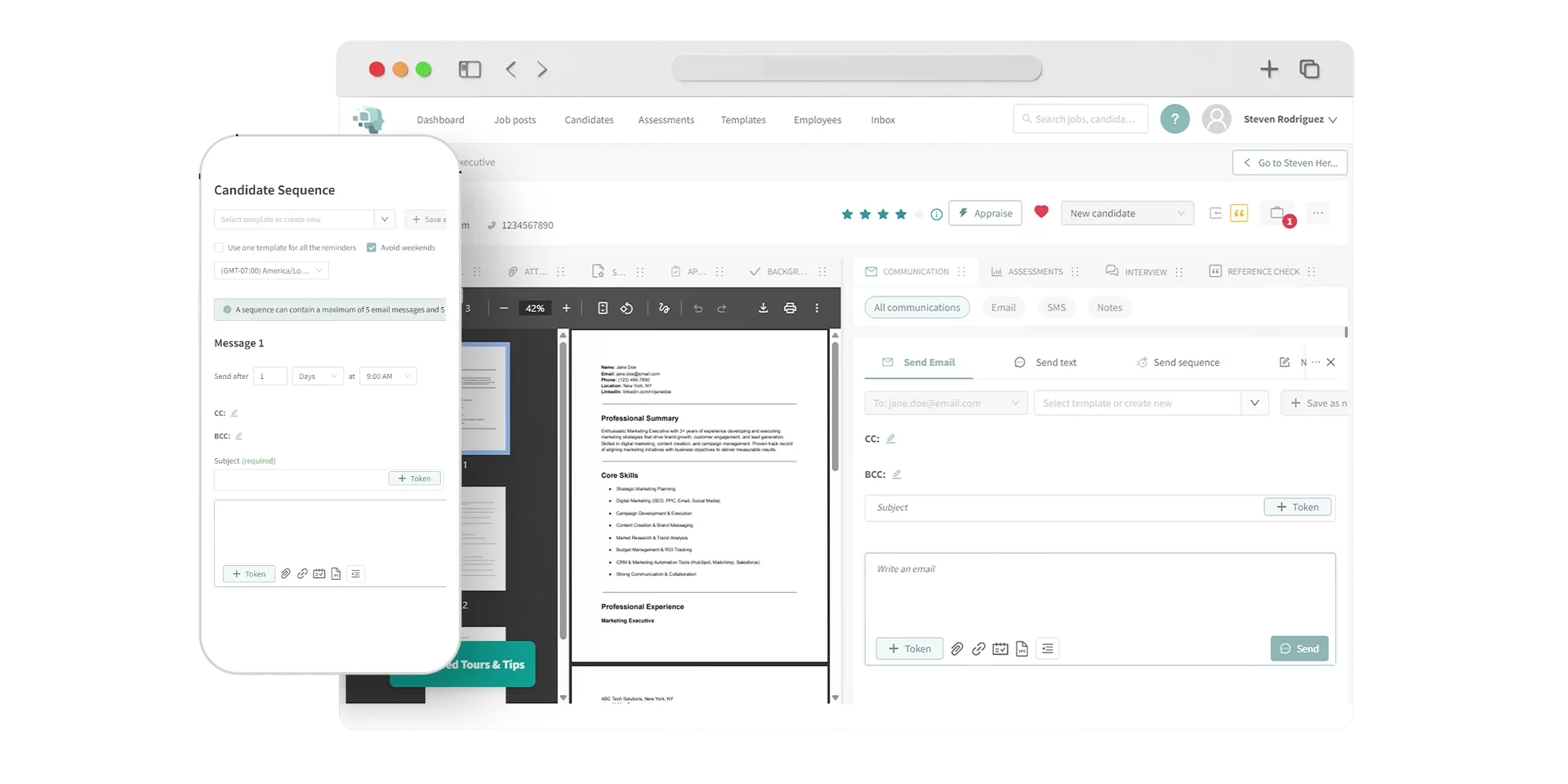
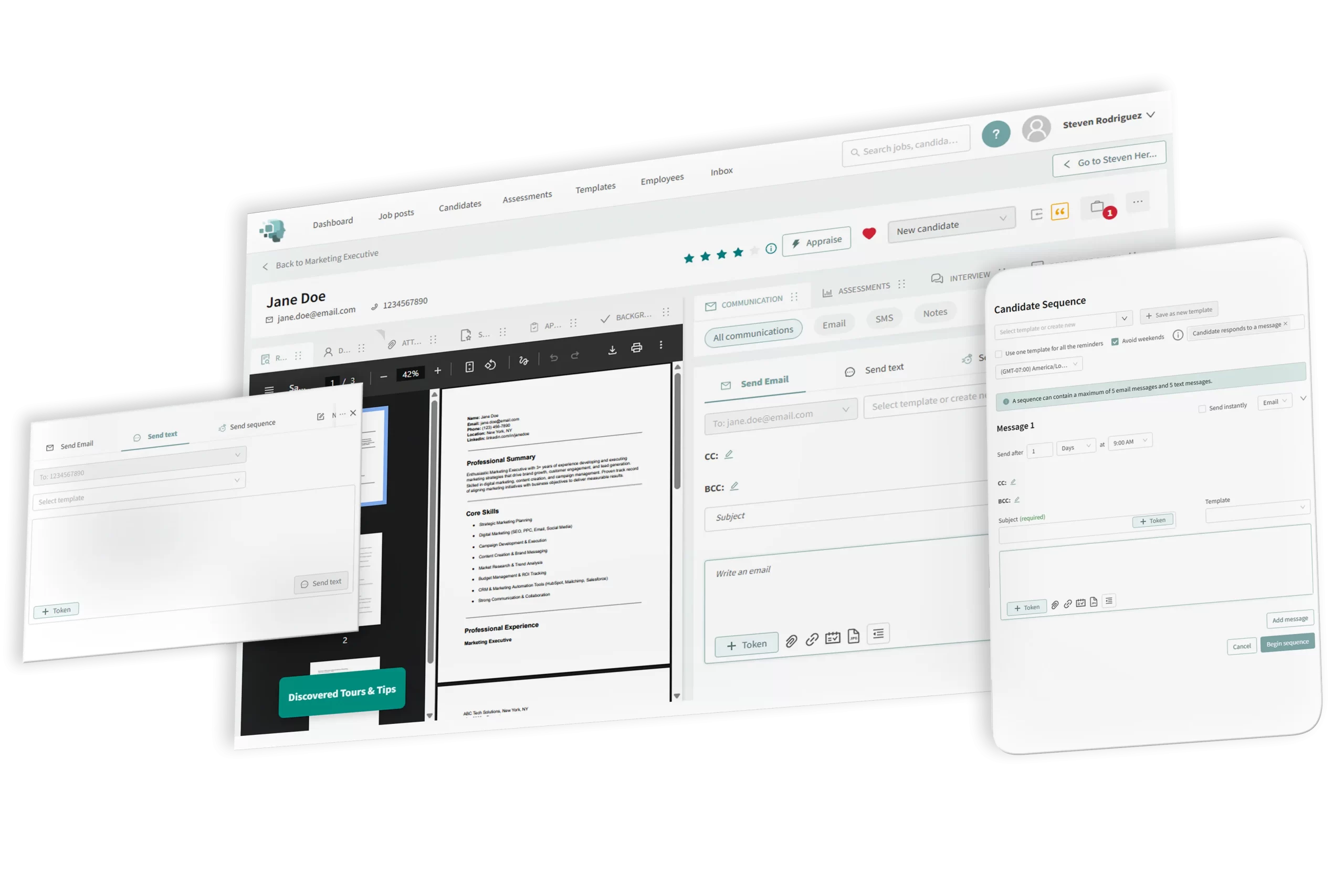
Discovered’s Candidate Communication solution brings every interaction into one place, so your team can move faster, stay aligned, and never miss a moment.
Whether you're sending updates, following up after an interview, or sharing internal notes, everything lives in one unified timeline.
For example...

A candidate might email you a follow-up while another team member texts them about scheduling—Discovered keeps it all visible in one clean view. With AI-powered message generation, pre-built templates, and automation built in, your hiring team stays organized, responsive, and consistent at every step.
Why Use Candidate Communication Tools?

Centralize Everything
View every email, SMS, note, and activity in one timeline so your team never loses track of a conversation.

Speed Up Communication
Use templates, automation, and AI-generated sequences to follow up faster, without sacrificing personalization.

Make Collaboration Easy
Leave notes, track team activity, and manage sequences—all inside the candidate profile.

How Candidate Communication Tools Work

Open the Candidate’s Profile
Start by selecting a candidate from any job posting. Click on their name to open the full profile.
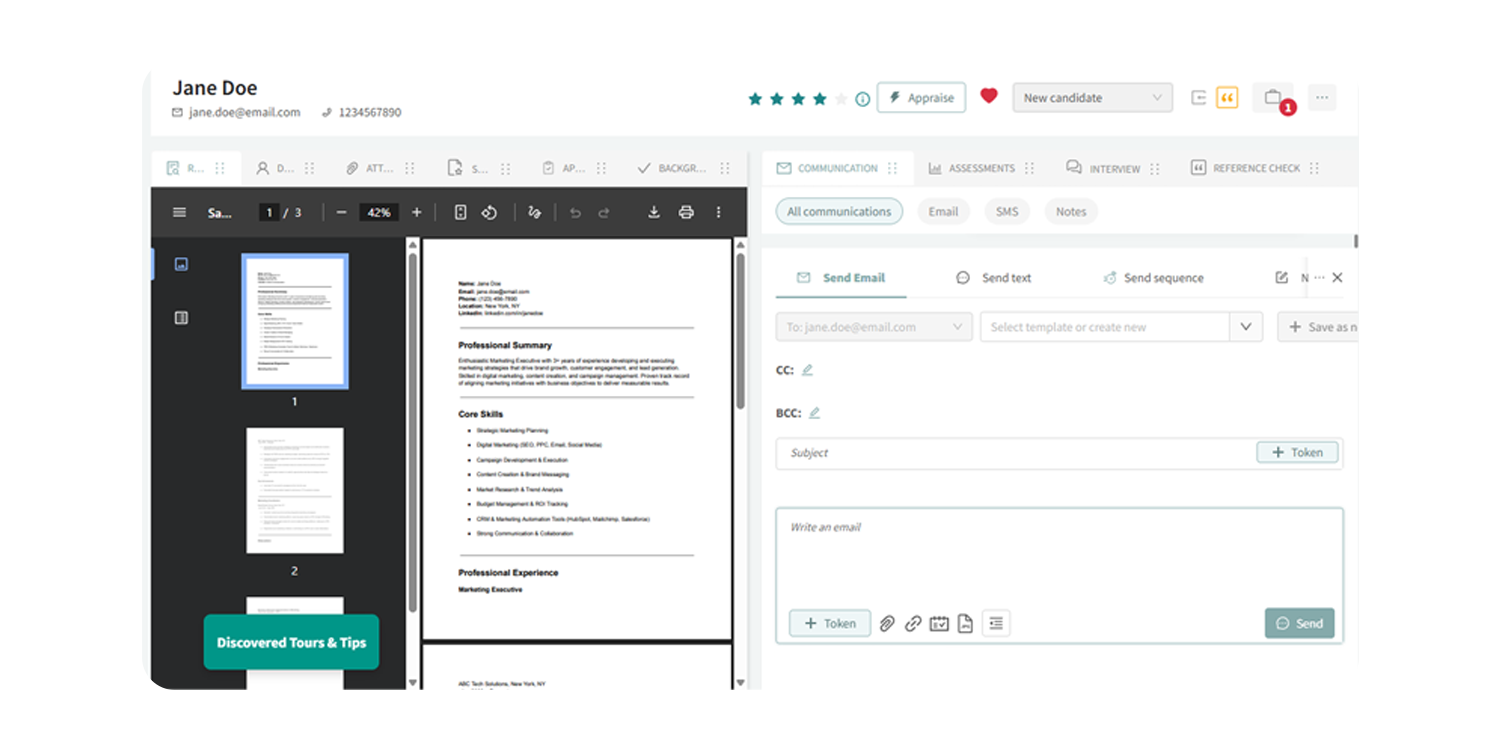
View the Communications Tab
On the right-hand side, you’ll see the centralized communications tab. It shows all activities—emails, texts, resume uploads, application events, assessments, interviews, and reference checks.

Filter and Take Action
Use filters to focus on emails, SMS, or internal notes. Send messages using templates or write your own. Initiate, manage, or cancel message sequences directly from the tab.

Use Kingsley AI for Communication
Generate messages or full sequences with Kingsley AI. Customize them before sending, or use pre-built templates for faster responses.
Learn more about our tools
Features Form - Category: Communication & Collaboration (DAI)
"*" indicates required fields
Key Features

Unified Candidate Timeline
Track all messages and events in one place—emails, texts, assessments, interviews, and more.

Pre-Built Templates
Send consistent, professional messages using customizable templates.
Automated Sequences
Launch multi-step follow-ups when a candidate reaches a new status. Edit or cancel at any time.
Kingsley AI Integration
Generate message sequences, individual emails, or reminders using AI.

Filter by Message Type
Drill down into email, SMS, or internal notes for quick updates.

Collaborative Note Sharing
Leave private notes that keep your whole hiring team aligned.
Perfect For…

Recruiters managing high volumes of candidates
-
HR teams seeking structured, trackable communication
-
Companies hiring across departments or locations
-
Anyone looking to simplify and speed up candidate engagement


Hear From Our Customers

Pro Tip
“Communication is where most hiring teams break down. With Discovered, we built a system that keeps every message clear, on time, and on brand.”
— Fletcher Wimbush, CEO
Ready to Streamline Candidate Communication?
Centralize hiring conversations, reduce delays, and bring consistency to every touchpoint with Discovered.