



Reach Candidates Faster with Click-to-Dial and Bulk Calling
Call candidates directly from Discovered, launch PhoneBurner dialing sessions, and keep every outreach activity tracked in one centralized candidate profile.

Manual dialing slows down candidate outreach.
Recruiting moves fast. When candidates are ready to talk, your team needs a faster way to connect—without copying numbers, switching tabs, or losing track of call activity.

Discovered’s Click-to-Dial and PhoneBurner integration helps recruiters move from candidate profile to conversation in seconds. With instant calling and bulk dialing workflows, teams can reach more candidates, improve response times, and keep communication history organized.
Candidate calling, built into your hiring workflow

Call Candidates in One Click
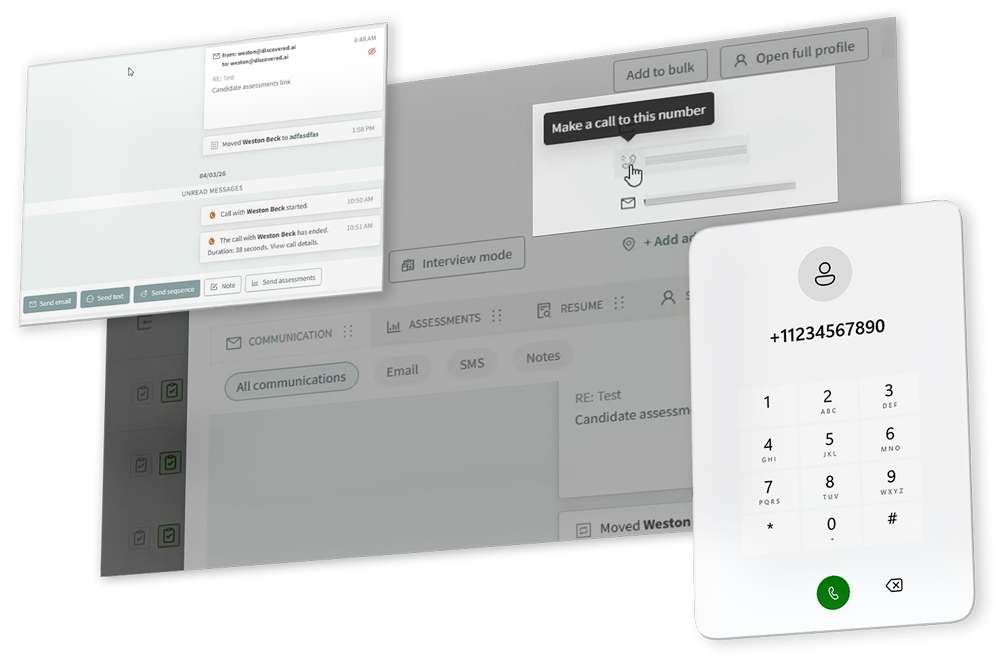
No copying, pasting, or switching between tools. Call candidates directly from their Discovered profile and move from review to conversation faster.

Run Bulk Dialing Sessions
For high-volume outreach, launch PhoneBurner dialing sessions and contact multiple candidates in sequence—without manually dialing each number.

Track Every Call in One Place
Keep call details, outcomes, start and end times, and recordings organized inside the candidate profile, so your team always knows what happened next.

From candidate list to live conversation—faster
Click to call from a candidate profile
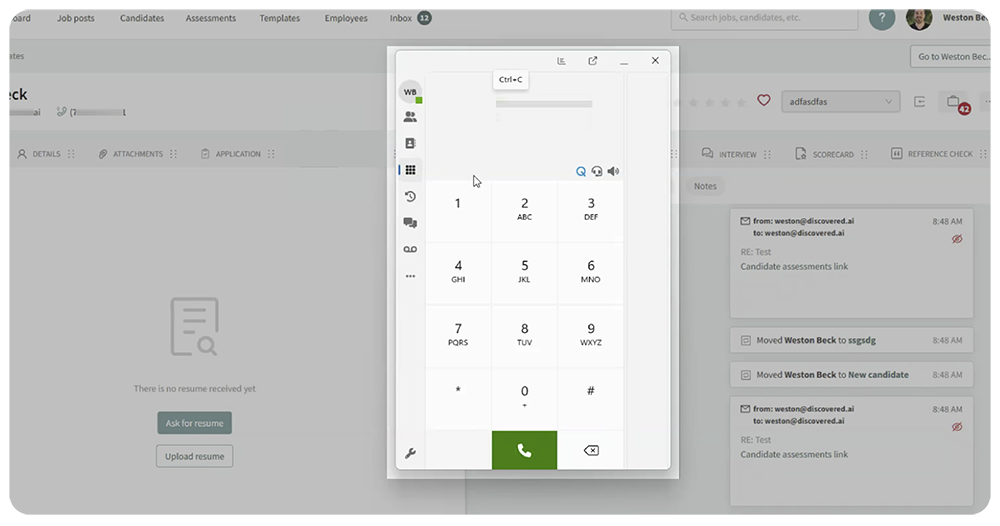
When a candidate has a phone number, recruiters can use the phone icon in the candidate profile or preview view to initiate the call.

Connect PhoneBurner for bulk dialing
PhoneBurner can be enabled via the user profile by adding a personal access token. Access to Personal Access Tokens depends on the user’s PhoneBurner subscription level.

Start a bulk dial session
Recruiters can select candidates with phone numbers from the Candidates page, start a dial session, and continue outreach in PhoneBurner.
Track call outcomes
After calls, PhoneBurner can capture dispositions such as appointment or follow-up, and call activity is logged in the candidate profile, including call times, details, outcomes, and recordings when available.
Learn more about our tools
"*" indicates required fields
More conversations. Less admin work.
Candidate outreach should not depend on manual processes.
Discovered helps recruiting teams spend less time dialing and more time engaging.
Benefits

Reduce time spent manually dialing numbers
-
Reach candidates faster and more efficiently
-
Manage high-volume outreach with bulk dialing
-
Keep call activity tracked inside candidate profiles
-
Improve candidate engagement through faster response times

Built for recruiters, hiring teams, and high-volume outreach

Recruiters
Quickly call individual candidates directly from their profiles.

Hiring Teams
Run bulk outreach campaigns using PhoneBurner.
Hiring Events
Track call outcomes and optimize outreach workflows.
Ready to make candidate outreach faster?
Stop wasting time on manual dialing.
Use Discovered to call candidates faster, track every interaction, and keep your hiring team moving.