



You’re not trying to collect more HR tools. You’re trying to run hiring and get people paid without bouncing between logins and “temporary” spreadsheets that somehow became permanent.
When hiring lives in one place, onboarding lives in another, and payroll lives somewhere else, you become the system. You end up retyping details, revisiting the same approvals, and relying on the handoff not to drop anything. That’s not just inefficient and risky: the smallest mismatch can turn into a wrong first paycheck or days of cleanup. This guide walks you through how to manage hiring and payroll in one place in the real world, where the handoffs usually break, and how to choose a setup that gives you your focus back.
The Real Cost Of Switching Systems

You only notice fragmentation when something breaks and it always breaks at the worst possible moment: an offer accepted on Friday and a start date on Monday.
Every time you jump systems, you’re keeping plates spinning. You lose your place like a pick ticket tossed mid-shift. One tab has the offer details and another has the start date, and you end up being the integration layer, retyping the same facts until something finally sticks.
Failures show up right there. A handoff never becomes payroll, and the first paycheck goes wrong or late. You can’t treat this like a minor annoyance when payroll errors hit real money, real trust, and sometimes real compliance exposure.
A quick gut-check: if you have to re-enter job title or pay rate in more than one place, you’ve built a system where details will fall through the cracks.
A simple way to reduce payroll-impacting mistakes is to standardize what “done” means in onboarding before a new hire ever hits your payroll run. Read more in our article: New Hire Checklist
Define What “One Place” Must Mean
Most “all-in-one” claims about hiring and payroll software are marketing noise. If you have read Atul Gawande’s The Checklist Manifesto, you know handoffs are where errors breed. If “one place” still means you approve an offer in one system and rebuild the same person inside payroll, you haven’t centralized anything. You’ve just moved the mess around.
At minimum, “one place” means there’s a single employee record that survives the whole journey from accepted offer to first paycheck. For instance, if you change a candidate’s start date or pay rate after they accept (because a project moved or a budget shifted), that update shouldn’t live in an email thread while payroll runs off the old number. The system should treat that change like it matters, because it does.
| Baseline requirement | What it means in practice |
|---|---|
| One source of truth for the person | Job title, department/cost center, manager, location, employment type, and pay rate live in one record—not copied over later. |
| A clean hire-to-first-pay flow | When onboarding is marked complete, payroll is ready; you can’t finish onboarding without what payroll needs. |
| Clear data ownership | It’s obvious where updates happen; if you’re asking “Which system is right?” you’re already reconciling. |
Where The Hire-to-Pay Handoff Breaks
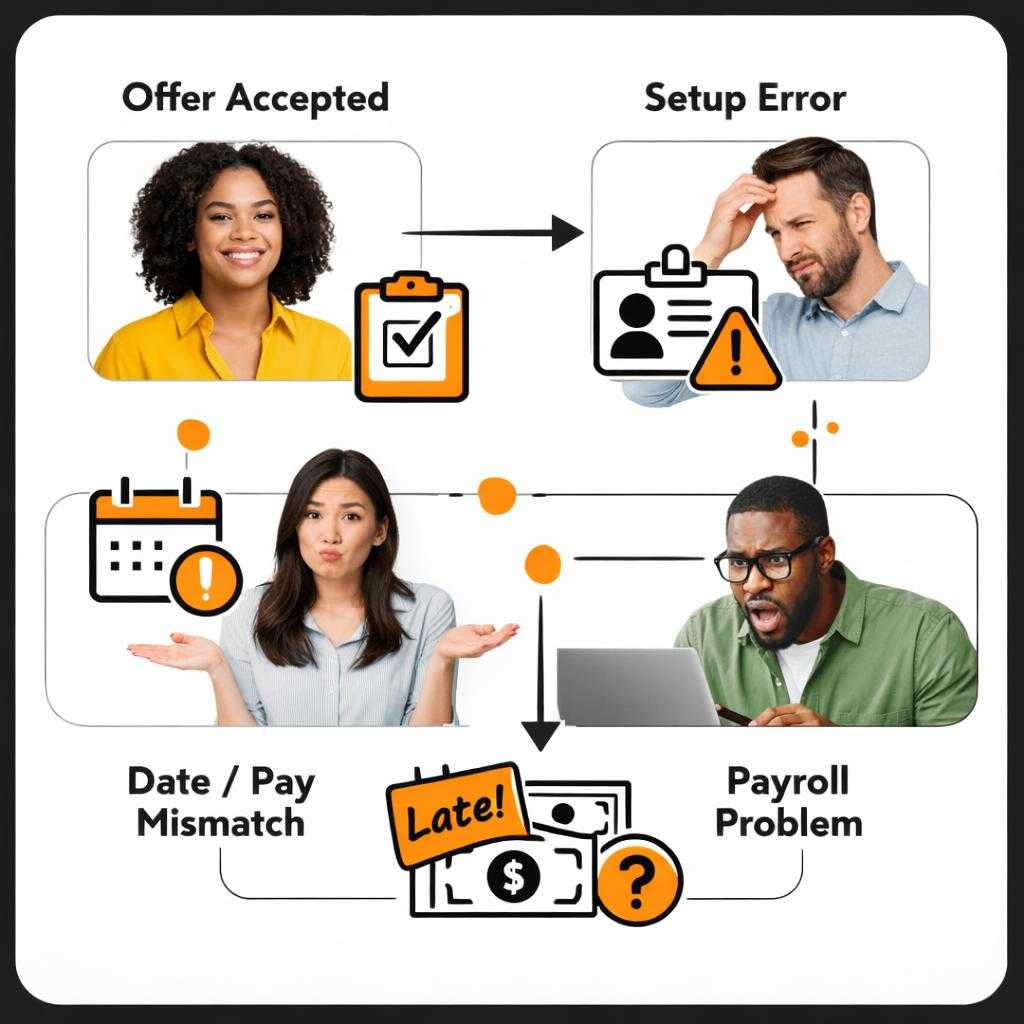
EY research found roughly 1 in 5 U.S. payrolls contains errors, and the average fix costs $291 per mistake. The gaps between hiring, onboarding, and payroll are where those “small” errors get manufactured.
The handoff breaks in boring places, not dramatic ones—this is where onboarding and payroll automation either holds or fails. It’s the moment you turn an accepted offer into a payroll-ready employee, and you realize the details that felt “close enough” in hiring are the exact fields payroll and taxes treat as non-negotiable. If your plan is “we’ll just re-enter it and sanity-check it,” you’re wearing too many hats. You’re also running a nightly close by hand, every pay period.
First break: offer to employee setup. You hire someone as “Account Manager,” but payroll needs a job code, a department or cost center, a manager, and an employment type. If those identifiers don’t match finance, cleanup follows. Misallocated labor and end-of-month scrambling show up fast.
Second break: start dates and pay rates. For example, you move a start date because the client pushed a kickoff, or you adjust pay after a final negotiation. If that change lives in email or Slack while payroll uses the original number, you risk a wrong first paycheck, and fixing one error can cost real money and trust.
Third break: work location and tax setup (especially for multi-state payroll and compliance). Remote makes this worse: the “works in NY” detail isn’t a note; it drives withholding and compliance. If the location in hiring, onboarding, and payroll don’t align, you don’t just create rework, you invite avoidable compliance headaches.
Last break: approvals. If you can run payroll while a pay-rate change or new hire is still “pending” somewhere else, you’ve built a system that allows errors by design—and lacks role-based access for HR/payroll. The practical move: make it impossible for a person to be marked ready to pay until those core fields and approvals are complete and consistent.
When location, tax forms, and approvals are inconsistent, you’re effectively creating an HR compliance problem—not just a workflow problem. Read more in our article: Hr Compliance Checklist
The Decision Framework For One-System Confidence
You don’t need another Intuit-style stack illusion. What you need is a setup that holds together when things change. You need to know it’ll stay one place when real life hits: a changed start date, a manager swap, a multi-state hire, or finance asking why labor landed in the wrong bucket. A setup that depends on nothing changing will fail you. It’s just a prettier scramble.
| Evaluation criterion | What to verify |
|---|---|
| Field mapping is explicit | Core fields (job title, department/cost center, manager, location, employment type, pay rate) map once and don’t rely on “fix it later”; cost centers match so payroll and P&L align. |
| Sync timing is predictable | You can answer: if a pay rate changes at 3 p.m., when does payroll see it? |
| Duplicates can’t form | Rehires, referrals, and name changes don’t create a second version of the same person. |
| Onboarding rules block payroll until ready | Missing tax forms, work location, or approvals stop the process instead of becoming a later correction. |
| Multi-location compliance isn’t an afterthought | A new state or remote move triggers the right setup, not a Slack reminder. |
Choose Your Consolidation Path

You pick a path once, then you live with it every time someone changes a start date, moves states, or negotiates a last-minute pay adjustment.
You’ve got two viable ways to get to “one place”: commit to an all-in-one HR platform where hiring, onboarding, and payroll share the same employee record, or keep a couple of tools and make the handoffs explicit and enforced. The mistake is thinking the second option is “good enough” by default because you already pay for the recruiting and payroll system. Without clear ownership of the HRIS payroll integration, you’re holding it together with workarounds. It’s like running payroll on a clipboard in a rainstorm.
Go all-in-one when you want the fewest failure points and you can tolerate change now (new workflows, new approvals, a clean cutover). As an example, if you’re hiring across states, moving fast, or you’ve already had a wrong first paycheck, you’ll feel the value of a single record immediately because it reduces the chances for mismatched job codes, locations, or pay rates to slip through.
Go “connected tools” when you have a hard anchor you can’t move, usually payroll or accounting, and you’re willing to define and maintain the rules: which system owns each field, when changes sync, and what blocks payroll from running. If you can’t name the owner, you have hope. Hope is not a control.
If you can’t clearly define who owns each employee data field and how it moves, you’ll keep recreating the same “integration-by-spreadsheet” pain every hiring cycle. Read more in our article: What Is Hris
A Practical Transition Plan (Without Chaos)

Imagine cutting over mid-cycle and realizing the new system and the old one disagree on a pay rate, right as a manager is asking why the check is short. A transition plan is what keeps that from becoming your week.
Treat the switch like a payroll event. That’s not optional, no matter what SHRM says this quarter. Before you migrate anything, write a one-page field map for the non-negotiables: job title/job code, department or cost center, manager, location, employment type, start date, and pay rate, plus where each field will be edited going forward. If you skip this and “figure it out as you go,” you’re choosing weeks of cleanup.
Then cut over right after payroll closes, like any other payroll automation software change. Do not cut over the day before it runs. Pilot with a small group (or the next 1 to 2 new hires) and run one parallel check to confirm the first paycheck matches. Finally, name one person to own exceptions, like a mid-cycle pay change or a Monday start after a Friday payroll run.
FAQ — Hiring And Payroll In One Place
Will Switching To “One Place” Be A Painful Migration?
It can be work, but it’s usually less work than living in forever-cleanup mode. Your fastest path is to move forward with clean fields and a clear owner, not to perfectly reconstruct every historical edge case.
Does “One Place” Handle Multi-State Employees Automatically?
It helps, but it doesn’t erase the need to get work location and tax setup right. The win is that location and job details don’t drift across systems, which is where multi-state mistakes often start.
What If I Pay Both Contractors And W-2 Employees?
You can still centralize the workflow, but you need clarity on who gets paid through payroll versus contractor payments and what documents attach to each. If you’re switching tools, make sure it doesn’t force you into two separate records for the same person over time.
How Fast Can I Get From “Accepted Offer” To First Payroll?
If the system links hiring, onboarding, and payroll, you should be able to move someone from offer to ready-to-pay without re-entering their core details. If you still have to rebuild the employee in payroll, you haven’t actually shortened the timeline, you’ve just rearranged the steps.
What Does “Integration” Really Buy Me?
A connector isn’t the same as one employee record. Integration has a million moving parts. It can still snap like a cheap zip tie on job codes and cost centers.
What’s The Next Step If I Want This Without The Tool-Switching?
See how a unified hiring-to-pay flow works here: https://discovered.ai/discovered-and-journeypayroll/
Contact Discover.ai for a personalized demo and consultation.Content