
Discovered Gmail Add-On Bring Candidate Replies Into Your ATS
One message, one click, straight to the candidate profile.
The Gmail add-on for recruiters lets you take a candidate’s reply sitting in your inbox and save it to their profile in Discovered. You open the email, you confirm the match, you sync it.

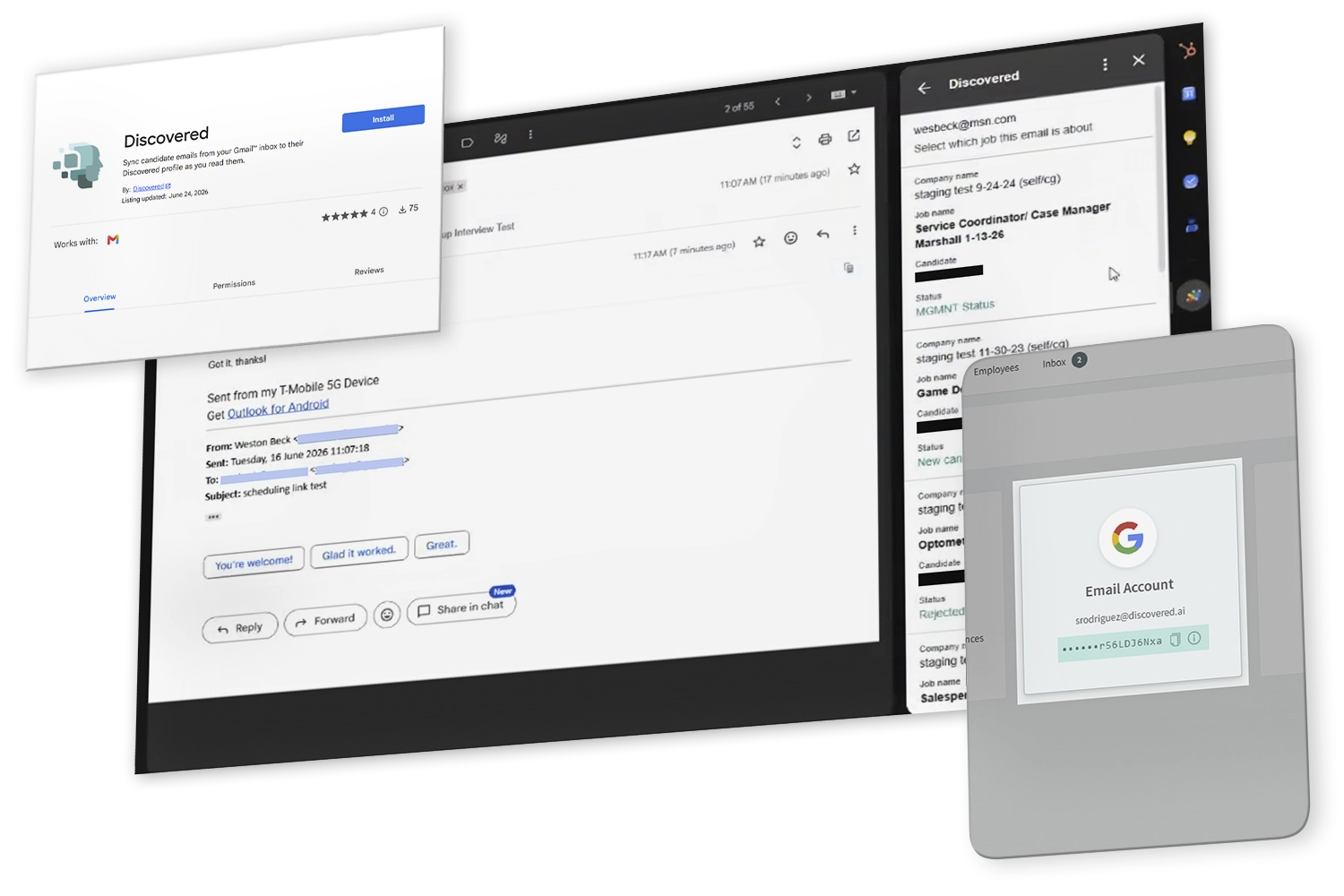
What Is the Discovered Gmail Add-On?
The Discovered Gmail add-on lives in your Gmail side panel and connects your inbox to your applicant tracking system, letting recruiters file a candidate's reply onto their profile in Discovered one message at a time.


The payoff is a complete record. Whoever opens that profile next reads what the candidate actually said, in order and with timestamps intact, instead of a summary someone typed from memory.

Your team keeps working where they already work. The record no longer depends on anyone remembering to paste it in.
Why Recruiters Use the Gmail Add-On

A Complete Communication History
The profile holds the whole exchange, not the half that happened to route through Discovered.

Visibility Without Forwarding
Hiring managers read what the candidate said for themselves, instead of waiting on someone to pass it along.

Gmail for Recruiting, Without the Copy and Paste
Keep working in the inbox you already use. The message arrives intact, with sender and timestamp, and lands on the right job.

How to Sync Gmail to Your ATS
Open the Applicant’s Email
Go to the Gmail inbox you use for candidate communication and open the message you want to save.
Launch the Add-On
Open Discovered from the Gmail side panel. It reads the email you currently have open and looks for a matching candidate.

Confirm the Candidate
Review the candidate the add-on found and make sure it is the right person before you continue.

Pick the Job, If There Is More Than One
If the candidate is attached to several jobs, choose which one this message belongs to so it lands in the right context.

Sync the Message
Confirm, and the email is added to the candidate’s communication history in Discovered.

Review It in the Profile
Open the candidate profile and the message is there, alongside everything else your team has sent and received.
Learn more about our tools
Features Form - Category: Communication & Collaboration (DAI)
"*" indicates required fields
Key Features
Lives in the Gmail Side Panel
No tab switching and no separate window. The add-on opens beside the email you are already reading.

You Pick Every Message
Syncing happens when you say so, on the email you have open. Nothing is filed on its own.
Automatic Candidate Matching
The add-on finds the candidate the message belongs to and shows you who it found before anything is saved.

Job Selection for Multi-Pipeline Candidates
When someone is in more than one job, you choose which record the message belongs to.

Works Alongside Your Email Connection
Discovered keeps sending candidate emails from your own address. The add-on covers the replies that come back to Gmail instead.
What Gets Synced to the Candidate Profile
What Is Captured
Why It Matters

Sender and recipient
Shows who said what, without a forwarded header to decode
Message content
The candidate’s own words, not a paraphrase

Timestamp
Keeps the conversation in order against the rest of the history
Candidate profile
The record the message is filed against
Associated job
Added when you select one, for candidates in multiple pipelines
You Decide What Gets Synced
You Decide What Gets Synced
Reading a Gmail inbox is a restricted permission, and reasonably so.
Rather than ask for broad access, the add-on was built to work the narrow way: it only ever touches the message you have open while it is running. It does not scan, read, or sync your inbox in the background. Personal email stays personal.
Perfect For…

Recruiters who work out of their inbox and would rather not switch tabs to log a message
-
Hiring managers who need context that landed in somebody else’s inbox
-
Teams sharing a pipeline, where nobody should have to ask what the candidate said
-
Anyone who has ever pasted an email into a candidate note


FAQ's
No. They are separate tools. The browser extension works in Chrome; the Gmail add-on installs from Google Workspace Marketplace and runs inside Gmail itself.

Pro Tip
“The worst hiring decisions get made with partial information. If half the conversation lives in someone’s inbox, the whole team is guessing.”
— Fletcher Wimbush, CEO

Ready to Get Every Reply Where It Belongs?
Install the add-on, keep working in Gmail, and send the messages that matter to the candidate profile where your team can act on them.