Could a candidate book an interview with your company in three minutes—from a phone, during a short break, without emailing a recruiter? Imagine Maya has just completed an initial screening call. The recruiter tells her the team would like to continue and promises to send interview details.
Maya is interested, but she is also working full-time and interviewing with two other employers. What happens next will show whether your interview scheduling process protects that momentum or slowly lets it disappear.
This audit follows the scheduling experience from the candidate’s point of view. You can run it yourself using a test profile, a smartphone, and one real job workflow.
Start the Clock When the Team Says Yes
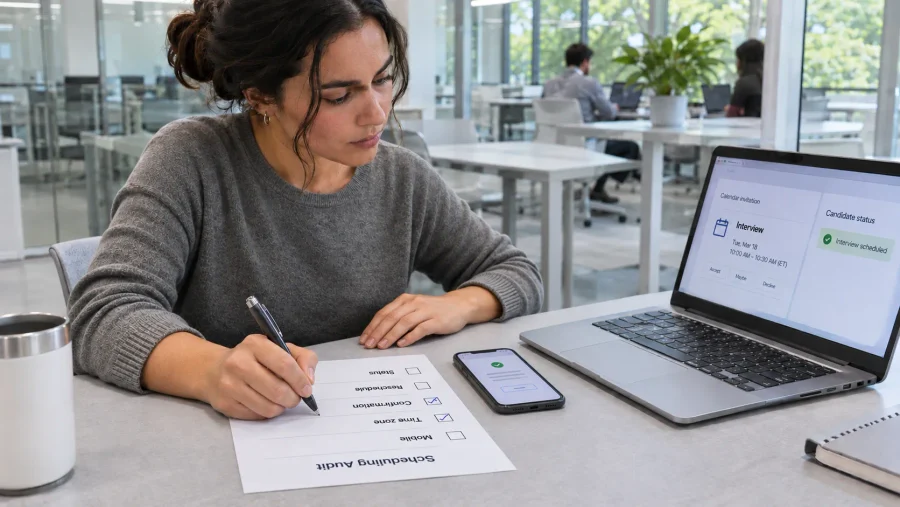
The first delay often occurs before the candidate receives a scheduling invitation. The recruiter updates a status, waits for the hiring manager to share availability, drafts an email, or intends to send the link after finishing another task. Several hours—or another business day—can pass even though the organization has already decided it wants to interview.
Meanwhile, the candidate continues speaking with other employers.
Cronofy’s 2024 Candidate Expectations Report found that 57% of surveyed candidates preferred automated scheduling over lengthy back-and-forth communication, while only 9% reported getting a first interview scheduled within one day. The same report found that the largest group waited two to three weeks. Review Cronofy’s candidate scheduling research. cronofy.com
Your test begins with one question:
How long does it take between deciding to interview someone and giving that person a way to book?
The invitation should follow the decision, not wait for another recruiter task.
Checkpoint 1: Can the Candidate Book From a Phone?
Maya receives the scheduling invitation during a break. She opens it on her phone rather than waiting until she gets home to a computer.
A low-friction experience should allow her to:
- Open the link without creating another account.
- See available times clearly on a small screen.
- Understand which time zone is displayed.
- Choose a slot without entering information the company already has.
- Receive confirmation immediately.
If the booking page is difficult to use on mobile, shows unclear availability, or requires several unnecessary steps, the scheduling tool has technically worked while the candidate experience has not.
SHRM describes self-scheduling as a way to eliminate back-and-forth communication, reduce errors, and let candidates schedule or reschedule from their own devices. Read SHRM’s interview-scheduling guidance.
Checkpoint 2: Does the Availability Reflect Reality?
The candidate should not be able to choose a time that the interviewer cannot honor.
During the audit, verify that the booking page reflects:
- Current working hours.
- Existing calendar conflicts.
- Required notice before the interview.
- Appropriate meeting duration.
- Buffer time between meetings.
- The correct interviewer or interview team.
This is where generic calendar links often become disconnected from the hiring process. A recruiter may send the correct link while the underlying calendar, working hours, or interview type is configured incorrectly.
The candidate sees availability. The employer sees a conflict later and asks to reschedule. That reversal creates more frustration than the original email coordination because the candidate believed the appointment was already confirmed.
Checkpoint 3: Does the Confirmation Answer Practical Questions?
A calendar event is not a complete interview confirmation. After booking, Maya should immediately know:
- The exact date, time, and time zone.
- Whether the interview is by phone, video, or in person.
- The expected duration.
- Who she will meet.
- The meeting link or physical location.
- What she should prepare.
- How to ask a question or make a change.
LinkedIn’s candidate-experience guidance recommends giving candidates clear interview details, including participants, format, location, and virtual-meeting instructions, so they know what to expect before the conversation. Review LinkedIn’s candidate-experience guidance.
The confirmation should remove uncertainty rather than create another reason for the candidate to contact the recruiter.
Checkpoint 4: Can the Candidate Reschedule Without Starting Over?
The original time works when Maya books it. Two days later, her employer changes her shift. A fragile scheduling process gives her three unattractive options:
- Reply to the recruiter and wait.
- Cancel without knowing whether another time is available.
- Keep the appointment and hope the conflict resolves itself.
A better process provides a clear rescheduling path, shows current alternatives, updates the calendar, and sends revised confirmation details.
Easy rescheduling does not mean candidates can move interviews endlessly without consequence. It gives a genuinely interested person a clear way to communicate a conflict instead of disappearing.
Our guide to reducing interview no-shows explains why cancellations, reschedules, and unexplained absences should not be treated as the same behavior.
Checkpoint 5: Does Booking Change the Hiring Workflow?
An interview can appear correctly on the calendar while the ATS still shows the candidate as waiting to schedule. That disconnect creates more administrative work:
- Recruiters check the calendar manually.
- The candidate receives another scheduling reminder.
- Hiring managers cannot tell whether the interview is confirmed.
- Reports show candidates in the wrong stage.
- Another team member follows up unnecessarily.
The booking should become part of the candidate record and trigger the appropriate next step. A connected recruiting workflow makes the scheduling event useful beyond the calendar by keeping status, communication, ownership, and candidate context aligned.
Discovered’s Automated Interview Scheduling can send the booking link from a workflow stage, use live calendar availability, account for time zones, send reminders, and work with status automation after the candidate books.
Score Your Interview Scheduling Process

Give the process one point for every statement that is true:
- The invitation is sent immediately after the interview decision.
- A candidate can book easily from a phone.
- Availability, working hours, and time zones are accurate.
- The confirmation includes everything needed to attend.
- Rescheduling and workflow updates happen without manual reconstruction.
0–2 points: The calendar is a hiring bottleneck
Candidates can still schedule, but the process depends heavily on recruiter follow-up and creates several opportunities for delay.
3–4 points: The process works, but it is fragile
Most candidates will succeed, although one calendar change, time-zone problem, or reschedule can create manual work.
5 points: Scheduling protects candidate momentum
The candidate can move from invitation to confirmation without unnecessary coordination, while the hiring team retains control over availability and interview structure.
Automate the Logistics, Not the Conversation
Scheduling automation should remove coordination work before the interview. It should not make the interview itself less personal.
Technology can handle:
- Live availability.
- Time-zone conversion.
- Booking confirmations.
- Calendar invitations.
- Reminders.
- Rescheduling.
- Workflow updates.
People should still own:
- Explaining why the conversation matters.
- Preparing for the candidate.
- Answering role-specific questions.
- Conducting the interview.
- Handling unusual circumstances.
- Communicating what happens next.
For early-stage questions that do not require a live conversation, a One-Way Video Interview may be more practical than adding another calendar event. The format should follow the purpose of the stage rather than forcing every evaluation into a meeting.
Make the Scheduling Experience Worth Testing
Your team already tests job links, application forms, assessments, and candidate emails. The booking experience deserves the same attention.
Run the three-minute test from a phone. Use a different time zone. Reschedule the meeting. Check what the candidate receives and what the recruiter sees afterward.
A strong interview scheduling process does not simply put something on the calendar. It turns candidate interest into a confirmed, understandable, and manageable next step before that interest has time to disappear.
Content